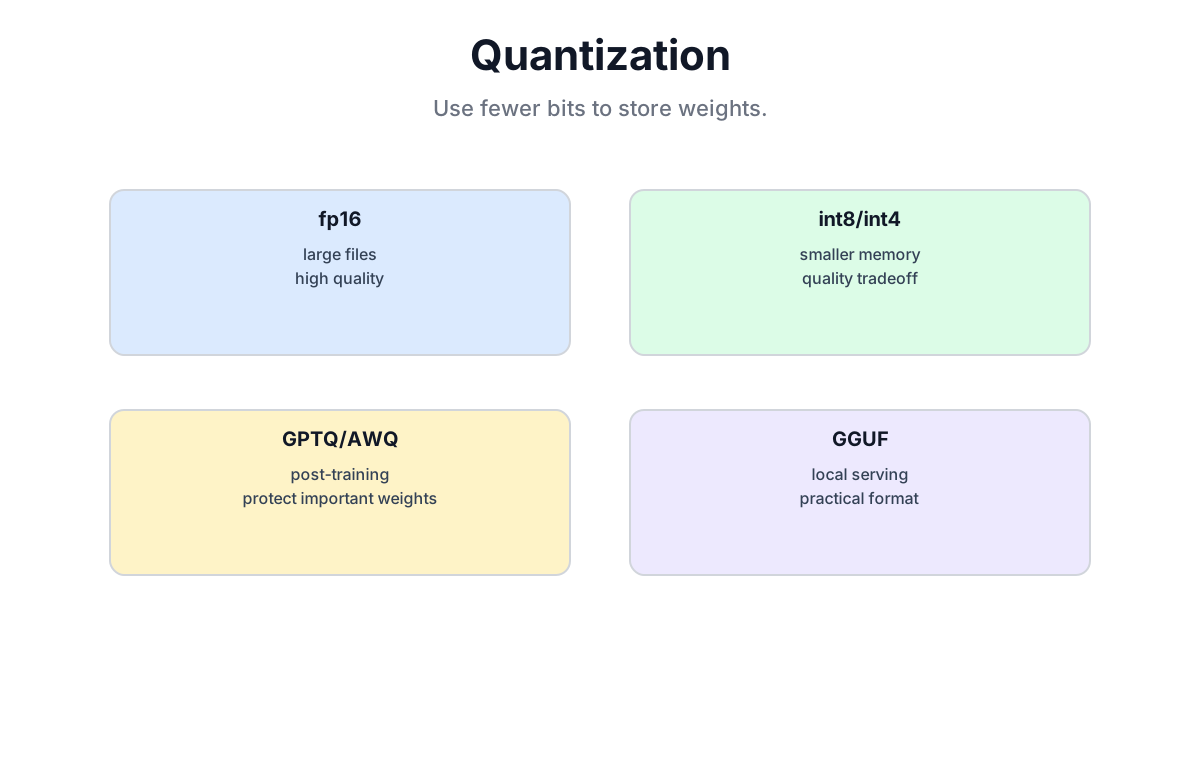
One-sentence summary: Quantization uses fewer bits to store weight values---the raw 14 GB fp16 weight tensor of a 7B model has a 3.5 GB 4-bit lower bound, while scales, metadata, activations, and the runtime add overhead. Speed can improve when the backend has efficient low-bit kernels; it is not automatic.
27.1 Why Quantize?
27.1.1 The memory arithmetic
Let us start with cold numbers.
LLaMA-7B memory requirements by precision:
| Precision | Bytes per weight | 7B model size |
|---|---|---|
| FP32 | 4 bytes | 28 GB |
| FP16 / BF16 | 2 bytes | 14 GB |
| INT8 | 1 byte | 7 GB |
| INT4 | 0.5 bytes | 3.5 GB |
From 28 GB to 3.5 GB is an 8x compression ratio.
Scaling to larger models:
| Model | FP16 size | INT4 size | Compression |
|---|---|---|---|
| LLaMA-7B | 14 GB | 3.5 GB | 4x |
| LLaMA-13B | 26 GB | 6.5 GB | 4x |
| LLaMA-70B | 140 GB | 35 GB | 4x |
| Mixtral-8x7B | ~90 GB | ~22 GB | 4x |
An RTX 4090 has 24 GB of VRAM. In fp16, it cannot hold the 13B model. In int4, it can hold the 70B model with CPU offloading enabled.
27.1.2 When quantization speeds up inference
The memory reduction can also speed up generation in decode-heavy workloads, where moving weights is a bottleneck. But kernels, batch size, context length, dequantization overhead, and hardware determine the result; quantization is not automatically faster.
Each forward pass reads the weight matrices from VRAM, applies them, and discards the intermediate activations. The GPU's matrix units are fast---the bottleneck is how fast they can stream weights from memory. Smaller weights = faster streaming.
Do not treat the following as a universal benchmark: tokens/second changes with the exact checkpoint, backend, context, batch, and sampling path. Measure on the deployment configuration.
| Precision | Weight-memory floor | Speed |
|---|---|---|
| FP16 | 14 GB | benchmark locally |
| INT8 | 7 GB | benchmark locally |
| INT4 | about 3.5 GB plus metadata | benchmark locally |
The raw weight reduction is predictable; the speedup is backend- and workload-dependent.
27.1.3 The cost: precision loss
Quantization approximates weights. The approximation introduces error:
- Original:
0.12345678(FP32, ~7 significant decimal digits) - INT4 quantized: might be
0.125(2-3 significant digits)
The error accumulates across layers. In practice, modern quantization methods keep the degradation small enough to be undetectable on most tasks---but not on all tasks, and not at all precision levels. Always evaluate on your actual workload.
27.2 Quantization Fundamentals
27.2.1 What quantization does
Quantization maps a continuous floating-point range to a set of discrete integer values.
Original FP16 weights:  -0.5,  0.0,  0.25, 0.5,  0.75, 1.0, ...
INT4 quantized:           -8,    0,     2,   4,     6,   7, ...
INT4 has only 16 possible values. FP16 has 65,536. You lose representational resolution in exchange for size.
27.2.2 Linear quantization
The standard approach uses a linear mapping:
quantized_value = round((original - zero_point) / scale)
dequantized     = quantized_value × scale + zero_point
Example: mapping the range [-1.0, 1.0] to INT8 [-128, 127]:
scale = 2.0 / 255      # (max - min) / (2^8 - 1)
zero_point = 0

original = 0.5
quantized = round(0.5 / 0.00784) = 64
dequantized = 64 * 0.00784 = 0.50176   # small but nonzero error
27.2.3 Symmetric vs asymmetric quantization
Symmetric: zero point is fixed at 0. Simpler arithmetic. Works well when weight distributions are centered near zero.
q = round(x / scale)Asymmetric: zero point can shift. More flexible, fits skewed distributions better.
q = round(x / scale) + zero_pointMost modern quantization methods use asymmetric by default.
27.2.4 Quantization granularity
The size of the group that shares one scale and zero point:
Per-tensor: entire weight matrix shares one pair. Simple and fast, but accuracy suffers when value ranges vary across the matrix.
Per-channel: each output channel has its own pair. Better accuracy, small storage overhead.
Per-group: each block of, say, 128 consecutive weights shares a pair. GPTQ and AWQ both default to group-size 128. Best accuracy-efficiency tradeoff in practice.
27.2.5 Common bit widths
| Bits | Integer range | FP16 compression | Quality | Common use |
|---|---|---|---|---|
| INT8 | -128 to 127 | 2x | high | server inference |
| INT4 | -8 to 7 | 4x | medium | consumer inference |
| INT3 | -4 to 3 | 5.3x | low | extreme compression |
| INT2 | -2 to 1 | 8x | very low | experimental |
The practical advice: INT8 if quality matters and you have VRAM to spare. INT4 for the best size/quality tradeoff in typical use. INT3 and below only under extreme memory constraints.
27.3 GPTQ: Post-Training Quantization with Calibration
27.3.1 The core idea
GPTQ (GPT Quantization) is a post-training quantization (PTQ) method. You take a pretrained model, feed a small calibration dataset through it, and quantize the weights while compensating for the error you introduce.
The objective:
where W is the original weight, W_q is the quantized weight, and X is the activation matrix from the calibration data. You want the quantized layer to produce the same output as the original layer on representative inputs.
27.3.2 The OBQ algorithm
GPTQ builds on OBQ (Optimal Brain Quantization), which is itself a descendant of the 1990s Optimal Brain Damage pruning work.
The key steps:
-
Compute the Hessian:
H = 2 X Xᵀ. This matrix encodes how sensitive the output is to changes in each weight. High Hessian diagonal entry = that weight matters more. -
Quantize greedily: pick the weight column where quantization error has least impact. Quantize it. Then adjust the remaining unquantized columns to compensate for the error you just introduced.
-
Repeat until all columns are quantized.
The greedy selection with compensation is what makes GPTQ far more accurate than simply rounding every weight to the nearest quantization level.
27.3.3 GPTQ's speed tricks
Naive OBQ processes one weight at a time and recomputes the Hessian update after each step. That is prohibitively slow for 7B+ models.
GPTQ's practical contributions:
Batch column updates: quantize 128 weights at a time rather than one by one. One Hessian update covers the whole batch.
Lazy batch updates: accumulate Hessian updates across many columns before applying them, reducing memory traffic.
Cholesky decomposition: precompute the Hessian inverse once using Cholesky factorization rather than recomputing after each step.
These tricks reduce quantization time from weeks to hours. A 175B model can be quantized in under 4 hours on a single A100.
27.3.4 Quantization pipeline
Input:  FP16 pretrained model + calibration dataset (128-512 samples)
Output: INT4 quantized model

Process:
1. Load model to GPU
2. Run calibration data through the model, capturing activations per layer
3. For each linear layer:
   a. Build Hessian: H = X @ Xᵀ
   b. Cholesky-decompose H
   c. Quantize weight columns in order, adjusting remaining columns
4. Save quantized weights and quantization metadata (scale, zero_point per group)
27.3.5 AutoGPTQ example
from transformers import AutoTokenizer
from auto_gptq import AutoGPTQForCausalLM, BaseQuantizeConfig

# 1. Calibration data
tokenizer = AutoTokenizer.from_pretrained("meta-llama/Llama-2-7b-hf")
calibration_data = [
    tokenizer("The agent opened a pull request.", return_tensors="pt"),
    tokenizer("Review the diff before merging.", return_tensors="pt"),
    # typically 128-512 samples covering your target domain
]

# 2. Quantization config
quantize_config = BaseQuantizeConfig(
    bits=4,
    group_size=128,
    desc_act=True,    # sort activations descending for better accuracy
    sym=False,        # asymmetric
)

# 3. Load and quantize
model = AutoGPTQForCausalLM.from_pretrained(
    "meta-llama/Llama-2-7b-hf",
    quantize_config=quantize_config,
)
model.quantize(calibration_data)

# 4. Save
model.save_quantized("./llama-7b-gptq-4bit")
tokenizer.save_pretrained("./llama-7b-gptq-4bit")
Loading and inference:
from auto_gptq import AutoGPTQForCausalLM

model = AutoGPTQForCausalLM.from_quantized(
    "./llama-7b-gptq-4bit",
    device="cuda:0",
    use_safetensors=True,
)

inputs = tokenizer("The agent reviewed", return_tensors="pt").to("cuda")
outputs = model.generate(**inputs, max_new_tokens=50)
print(tokenizer.decode(outputs[0]))
27.3.6 GPTQ tradeoffs
Strengths:
- Accuracy very close to FP16 (99%+ on most benchmarks)
- Fast inference with ExLlama/ExLlamaV2 backend
- Large ecosystem: thousands of pre-quantized GPTQ models on HuggingFace
Weaknesses:
- Quantization itself takes hours and requires GPU
- Needs calibration data (128-512 samples)
- CPU support is weak; not practical for local-CPU inference
27.4 AWQ: Activation-Aware Weight Quantization
27.4.1 The key insight
AWQ starts with an empirical observation about weight importance:
About 1% of weights have disproportionate influence on model output. These are weights connected to large-magnitude activations. Quantizing them carelessly destroys quality. Protecting them maintains it.
The question is: which weights are "important"? Look at the activations.
If a weight channel is multiplied by a large activation, any quantization error in that weight is amplified by the same magnitude. High activation = high sensitivity = needs protection.
27.4.2 The protection strategy
Rather than keeping important weights in higher precision (which breaks uniformity), AWQ scales important channels before quantizing:
Original: y = W @ x
AWQ:      y = (W × s) @ (x / s)
The output is identical. But W × s has larger magnitude, so its quantization error is smaller relative to its scale. The /s on the input side can be absorbed into the previous layer's weights, so it adds no inference cost.
The optimal scale factor s is found by grid search:
def find_best_scale(W, X, n_bits):
    best_scale, best_loss = 1.0, float('inf')

    for alpha in [0.1, 0.2, 0.3, 0.4, 0.5, 0.6, 0.7, 0.8, 0.9, 1.0]:
        # scale proportional to activation magnitude to the power alpha
        scale = X.abs().mean() ** alpha

        # scale, quantize, dequantize
        W_scaled = W * scale
        W_quant  = quantize(W_scaled, n_bits)
        W_deq    = dequantize(W_quant) / scale

        # measure output error
        loss = ((W @ X) - (W_deq @ X)).pow(2).mean()

        if loss < best_loss:
            best_loss = loss
            best_scale = scale

    return best_scale
27.4.3 AutoAWQ example
from awq import AutoAWQForCausalLM
from transformers import AutoTokenizer

model_path = "meta-llama/Llama-2-7b-hf"
model     = AutoAWQForCausalLM.from_pretrained(model_path)
tokenizer = AutoTokenizer.from_pretrained(model_path)

quant_config = {
    "zero_point": True,     # asymmetric quantization
    "q_group_size": 128,    # group size
    "w_bit": 4,             # 4-bit
    "version": "GEMM",      # GEMM kernel for inference speed
}

model.quantize(tokenizer, quant_config=quant_config)
model.save_quantized("./llama-7b-awq-4bit")
tokenizer.save_pretrained("./llama-7b-awq-4bit")
27.4.4 AWQ vs GPTQ
| Feature | GPTQ | AWQ |
|---|---|---|
| Quantization speed | slow (hours) | fast (tens of minutes) |
| Output accuracy | very high | very high (often better) |
| Inference speed | fast (ExLlama) | fast (GEMM kernel) |
| Calibration data | 128-512 samples | fewer samples needed |
| CPU support | poor | poor |
| Ecosystem maturity | large | growing rapidly |
My practical recommendation: try AWQ first. It is faster to quantize and often achieves slightly better quality. If you need maximum accuracy on a specific benchmark, compare both.
27.5 GGUF: The CPU Inference Standard
27.5.1 What GGUF is
GGUF (GPT-Generated Unified Format) is the model file format used by llama.cpp. It is not a quantization algorithm---it is a container format that bundles everything needed to run a model:
- Quantized weight tensors
- Tokenizer vocabulary and merge rules
- Architecture metadata (n_layers, n_heads, d_model, rope_theta, etc.)
- Model hyperparameters
Everything in one .gguf file. No separate tokenizer JSON, no config.json. Download and run.
GGUF evolved from the earlier GGML format (the "ML" in llama.cpp's original name).
27.5.2 Quantization types in GGUF
GGUF supports a range of quantization levels, from near-lossless to extremely compressed:
| Type | Effective bits | Description | Recommended for |
|---|---|---|---|
| Q2_K | ~2.5 | extreme compression, significant quality loss | very limited RAM |
| Q3_K_S | ~3.0 | small K-quant | low RAM |
| Q3_K_M | ~3.3 | medium K-quant | low RAM |
| Q4_0 | 4.0 | basic 4-bit, older format | general use |
| Q4_K_S | ~4.5 | small K-quant 4-bit | general use |
| Q4_K_M | ~4.8 | medium K-quant 4-bit | recommended default |
| Q5_0 | 5.0 | basic 5-bit | high quality |
| Q5_K_S | ~5.5 | small K-quant 5-bit | high quality |
| Q5_K_M | ~5.8 | medium K-quant 5-bit | recommended high-quality |
| Q6_K | 6.0 | 6-bit K-quant | near-lossless |
| Q8_0 | 8.0 | 8-bit, near-original | when you have the RAM |
| F16 | 16.0 | half precision, no compression | reference |
K-quants (the _K_ variants) use a mixed strategy: important layers (attention Q and K projections) get higher precision, less critical layers (FFN middle) get lower precision. For the same average bit count, K-quants outperform uniform quantization.
27.5.3 Inside Q4_0 and Q4_K_M
Q4_0 (the simple case):
Every 32 weights share one FP16 scale factor.
Storage: 32 × 4 bits + 16 bits = 144 bits
Average bits per weight: 4.5
Q4_K_M (K-quant):
Different layers get different treatment:
- Attention Q/K projections: stored at higher precision
- FFN intermediate: stored at lower precision
- Overall average: ~4.8 bits per weight
Result: noticeably better perplexity than Q4_0 at similar size
27.5.4 Converting to GGUF
# 1. Clone and build llama.cpp
git clone https://github.com/ggerganov/llama.cpp
cd llama.cpp
make -j

# 2. Convert HuggingFace model to GGUF (fp16 intermediate)
python convert.py /path/to/llama-7b-hf \
    --outfile llama-7b-f16.gguf \
    --outtype f16

# 3. Quantize to Q4_K_M
./quantize llama-7b-f16.gguf llama-7b-q4_k_m.gguf Q4_K_M
27.5.5 Running with llama.cpp
# Direct generation
./main -m llama-7b-q4_k_m.gguf \
       -p "The agent opened a pull request" \
       -n 128 \
       --temp 0.7

# OpenAI-compatible API server
./server -m llama-7b-q4_k_m.gguf \
         --host 0.0.0.0 \
         --port 8080
27.5.6 Python bindings
from llama_cpp import Llama

llm = Llama(
    model_path="./llama-7b-q4_k_m.gguf",
    n_ctx=4096,         # context length
    n_gpu_layers=35,    # layers offloaded to GPU (0 = CPU-only)
    n_threads=8,        # CPU thread count
)

output = llm(
    "The agent reviewed the diff and",
    max_tokens=128,
    temperature=0.7,
    stop=["</s>"],
)

print(output["choices"][0]["text"])
The n_gpu_layers parameter lets you use partial GPU offloading. A MacBook Pro M2 with 16 GB unified memory can run a 7B Q4_K_M model fully in memory. The same file runs on a Linux server with GPU layers offloaded for speed.
27.5.7 GGUF tradeoffs
Strengths:
- Best-in-class CPU inference performance, especially on Apple Silicon (Metal) and x86 with AVX
- Single portable file format, easy to distribute
- No GPU required; runs entirely in system RAM
- Active community, new model support arrives quickly
- Partial GPU offloading for mixed CPU/GPU setups
Weaknesses:
- Not native to the HuggingFace ecosystem (conversion step required)
- LoRA adapter support limited and less mature than the GPU path
- Peak accuracy slightly below GPTQ/AWQ at equivalent bit depths
27.6 Other Quantization Methods
27.6.1 bitsandbytes (BNB)
HuggingFace-integrated quantization for training and inference. Supports INT8 and NF4.
from transformers import AutoModelForCausalLM, BitsAndBytesConfig

bnb_config = BitsAndBytesConfig(
    load_in_4bit=True,
    bnb_4bit_quant_type="nf4",           # NormalFloat4
    bnb_4bit_compute_dtype="float16",
    bnb_4bit_use_double_quant=True,
)

model = AutoModelForCausalLM.from_pretrained(
    "meta-llama/Llama-2-7b-hf",
    quantization_config=bnb_config,
    device_map="auto",
)
BNB's advantage is instant quantization at load time---no separate quantization step, no calibration data. The model loads in 4-bit. This is what QLoRA uses for its frozen base weights.
27.6.2 SmoothQuant
Designed for INT8 inference. The key observation: activations are harder to quantize than weights (they have larger outliers). SmoothQuant migrates quantization difficulty from activations to weights through a mathematically equivalent scale:
y = (X / s) @ (W × s)By choosing s to reduce activation variance, both sides become easier to quantize to INT8.
27.6.3 EETQ
EETQ (Efficient and Easy Transformer Quantization) is an INT8 weight-only quantization method optimized for inference throughput. Rather than quantizing both weights and activations, it keeps activations in fp16 and quantizes only the weight matrices to INT8, which substantially reduces accuracy loss compared to full INT8 quantization. EETQ uses fused, kernel-level INT8 GEMM routines that are efficient on modern NVIDIA GPUs. The practical result is faster throughput than BNB INT8 at similar or slightly better accuracy, with near-zero calibration overhead. It is a good default when you need INT8 GPU inference without preparing a calibration dataset.
from transformers import AutoModelForCausalLM, EetqConfig

eetq_config = EetqConfig("int8")
model = AutoModelForCausalLM.from_pretrained(
    "meta-llama/Llama-2-7b-hf",
    quantization_config=eetq_config,
    device_map="auto",
)
27.6.4 HQQ (Half-Quadratic Quantization)
No calibration data needed, fast quantization, decent accuracy at low bit widths.
from transformers import AutoModelForCausalLM, HqqConfig

hqq_config = HqqConfig(nbits=4, group_size=128)
model = AutoModelForCausalLM.from_pretrained(
    "meta-llama/Llama-2-7b-hf",
    quantization_config=hqq_config,
    device_map="auto",
)
HQQ is useful when you need fast quantization without preparing a calibration set. The accuracy trails GPTQ/AWQ slightly but is often acceptable.
27.7 Comparison and Decision Guide
27.7.1 Full comparison
| Method | Bits | Quantization speed | Inference speed | Accuracy | Calibration data | CPU support |
|---|---|---|---|---|---|---|
| GPTQ | 4/3/2 | slow | fast (ExLlama) | very high | yes | poor |
| AWQ | 4 | medium | fast (GEMM) | very high | yes (less needed) | poor |
| GGUF | 2-8 | fast | medium | medium-high | no | excellent |
| BNB NF4 | 4 | instant | medium | medium | no | poor |
| HQQ | 4/3/2 | fast | medium | medium | no | medium |
27.7.2 Perplexity comparisons are checkpoint-specific
Lower perplexity is better, but numbers are only meaningful when the checkpoint, tokenizer, calibration data, context, and evaluation code are fixed. The following table should be filled from a reproducible run, not read as a universal ranking:
| Method | Reported perplexity |
|---|---|
| FP16 reference | measure on the fixed evaluation setup |
| GPTQ / AWQ / GGUF / BNB | measure separately; results are not interchangeable across backends |
Do not generalize a fixed perplexity gap to every model or task; validate held-out loss and task metrics for the intended deployment.
27.7.3 Decision tree by use case
What is your inference hardware?
├── NVIDIA GPU
│   ├── Priority: quality → AWQ or GPTQ (compare both)
│   ├── Priority: fast deployment → BNB (instant, no calibration)
│   └── Priority: throughput → GPTQ + ExLlamaV2
├── CPU (Linux/Windows)
│   └── GGUF (Q4_K_M for balance, Q5_K_M for more quality)
├── Apple Silicon (Mac)
│   └── GGUF + Metal (llama.cpp Metal build)
└── Mixed GPU + CPU offload
└── GGUF (adjust n_gpu_layers to fit available VRAM)| Scenario | Recommended | Reasoning |
|---|---|---|
| GPU inference, quality first | AWQ | Fastest to quantize, excellent accuracy |
| GPU inference, fast deploy | BNB NF4 | No offline step, just load |
| CPU inference | GGUF Q4_K_M | Best CPU performance, portable format |
| Apple Silicon | GGUF + Metal | Metal backend rivals CUDA for smaller models |
| Extreme memory limit | GGUF Q2_K or Q3_K | Deepest compression |
| High-throughput serving | GPTQ + ExLlamaV2 | Best GPU throughput per dollar |
27.8 Practical Verification
27.8.1 Pre-quantization checklist
- Identify target hardware: GPU → GPTQ/AWQ; CPU → GGUF; Mac → GGUF Metal.
- Set precision target: quality-first → Q5_K_M; balanced → Q4_K_M; memory-first → Q3_K.
- Prepare calibration data (GPTQ/AWQ only): 128-512 samples representative of your target use case.
- Know your evaluation metric: perplexity is a proxy. Measure on task-specific benchmarks.
27.8.2 Post-quantization validation
def evaluate_quantized_model(original_model, quantized_model, test_prompts):
    """Compare original and quantized model outputs."""
    results = []
    for prompt in test_prompts:
        orig_out  = original_model.generate(prompt, max_new_tokens=100)
        quant_out = quantized_model.generate(prompt, max_new_tokens=100)

        results.append({
            "prompt": prompt,
            "original": orig_out,
            "quantized": quant_out,
            "match": orig_out == quant_out,
        })

    return results

# Things to check:
# 1. Output is coherent (not garbled)
# 2. Task accuracy on held-out evaluation set
# 3. Edge cases: very short prompts, long context, unusual vocabulary
27.8.3 Common failure modes
Garbled output after quantization:
- Usually too aggressive (Q2 or Q3 when Q4 was the right call)
- Poor calibration data (too narrow, not representative)
- Solution: increase precision or broaden calibration set
Inference speed did not improve:
- Hardware does not support efficient low-precision kernels
- Forgot to enable the right backend (ExLlama for GPTQ, GEMM for AWQ, Metal for llama.cpp on Mac)
- Solution: check backend configuration explicitly
VRAM usage did not decrease:
- Model loaded at higher precision than expected (check
dtypein load call) - Quantization applied but not saved/reloaded correctly
- Solution: print
model.dtypeand verify it matches expectations
27.9 Chapter Summary
27.9.1 Key concepts
| Concept | Explanation |
|---|---|
| Quantization | Store weights with fewer bits to reduce memory and often improve speed |
| GPTQ | Post-training quantization using calibration data to compensate error layer by layer |
| AWQ | Activation-aware quantization that protects 1% of high-sensitivity weights via scaling |
| GGUF | llama.cpp model format; CPU-friendly, portable, covers 2-bit through 8-bit in one file |
| K-quants | Mixed-precision GGUF variants that allocate bits based on layer importance |
| BNB NF4 | Instant load-time 4-bit quantization using NormalFloat4; what QLoRA uses |
27.9.2 Memory quick reference
| FP16 size | INT8 size | INT4 size | Compression |
|---|---|---|---|
| 14 GB (7B) | 7 GB | 3.5 GB | 2x / 4x |
| 26 GB (13B) | 13 GB | 6.5 GB | 2x / 4x |
| 140 GB (70B) | 70 GB | 35 GB | 2x / 4x |
27.9.3 Core takeaway
Quantization is the technology that made large model inference broadly accessible. Shrinking fp16 weights to int4 cuts memory 4x and often makes inference faster because bandwidth is the real bottleneck. GPTQ and AWQ lead for GPU quality; GGUF leads for CPU portability. Pick based on your hardware, not on leaderboard rankings, and always evaluate on your actual task.
Chapter Checklist
After this chapter, you should be able to:
- Calculate the memory footprint of any model at fp16, int8, and int4.
- Explain why quantization often speeds up inference (bandwidth argument).
- Describe GPTQ's OBQ-based error compensation mechanism.
- Explain what AWQ protects and how it scales important weight channels.
- Explain what GGUF is (format vs algorithm), and what Q4_K_M means.
- Choose the right quantization method based on hardware and quality requirements.
Part 8 Complete
You have now finished the Deployment and Fine-Tuning section:
| Chapter | Topic | Core technologies |
|---|---|---|
| 26 | LoRA and QLoRA | Low-rank adaptation, NF4, efficient fine-tuning |
| 27 | Model Quantization | GPTQ, AWQ, GGUF, BNB |
Together these chapters answer the two practical questions for anyone deploying LLMs:
- How do I adapt this model to my task without a data center? (LoRA / QLoRA)
- How do I run this model affordably after I have adapted it? (Quantization)
See You in the Next Chapter
Quantization handles the cost side of inference. The next question is the quality side: how do you communicate to the model what you actually want it to do?
Chapter 28 covers prompt engineering---from zero-shot and few-shot basics through Chain-of-Thought, Self-Consistency, Tree-of-Thought, and the modern world where prompts orchestrate tool-using agents.