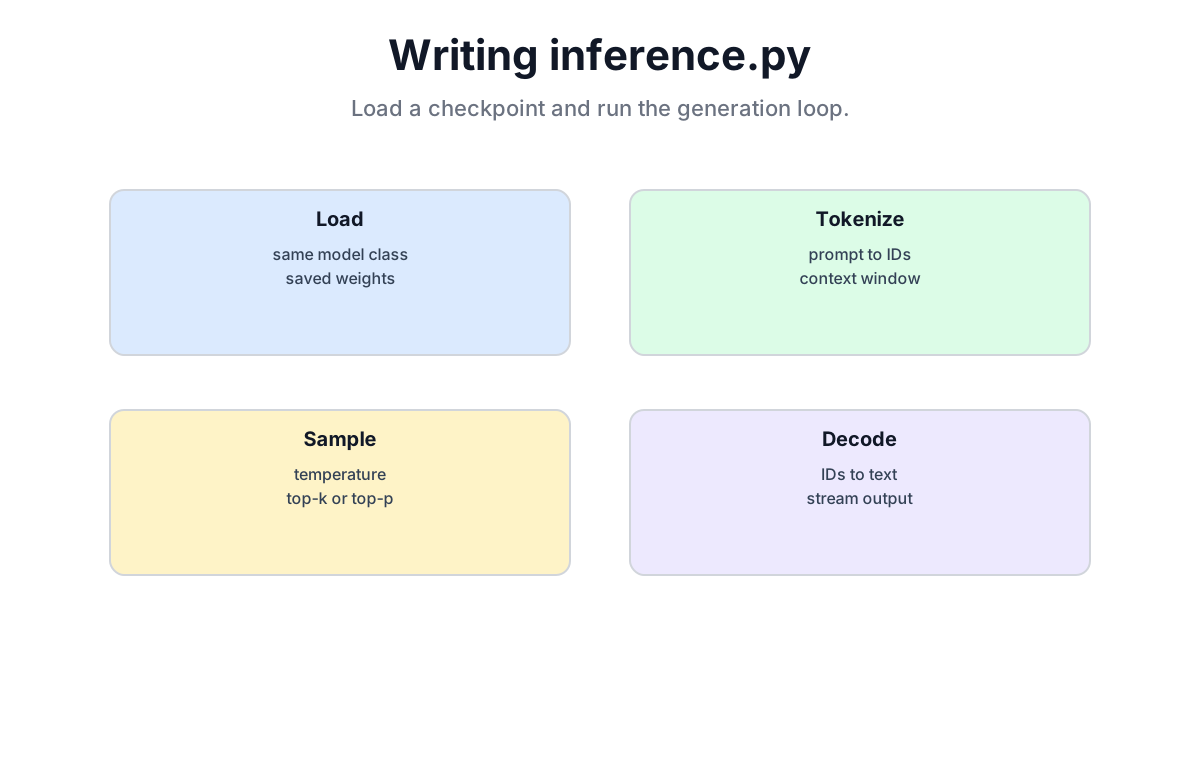
One-sentence summary: Inference rebuilds the same model and tokenizer from a checkpoint, encodes a prompt as token IDs, and then generates one token at a time. The script is short, but none of the model contract, randomness, or length boundaries may be dropped.
📦 Original 2024 demo repository: github.com/waylandzhang/Transformer-from-scratch. The historical demo keeps data, model, training, and generation in one
model.py; this chapter'sinference.pypairs with the audited standalone files from Chapters 18 and 19.
20.1 Inference Is More Than “Training Without Updates”
| Training | Inference | |
|---|---|---|
| Input | a continuous sequence and one-step-shifted targets | a prompt plus tokens generated so far |
| Each forward pass | computes loss at many positions in parallel | uses the final position to choose one next token |
| Parameter updates | yes | no |
| Dropout | random under train() | disabled under eval() |
| Autograd | required | disabled with inference_mode() |
model.eval() and torch.inference_mode() do different jobs. The first changes training/evaluation behavior inside modules; the second stops autograd bookkeeping. Our model contains Dropout but no BatchNorm, so the direct effect of eval() here is to disable Dropout—not to “freeze BatchNorm.”
Nor does eval() make sampling deterministic. With temperature > 0, generation still samples from a distribution. temperature = 0 selects greedy decoding as defined in Chapter 18.
20.2 Rebuild the Model Contract Before Loading Weights
The Chapter 19 checkpoint contains model_config, tokenizer_name, and model_state_dict. Inference should not guess the layer count, width, or vocabulary size again.
def load_model(checkpoint_path, device):
    checkpoint = torch.load(
        checkpoint_path,
        map_location="cpu",
        weights_only=True,
    )
    required = {"model_state_dict", "model_config", "tokenizer_name"}
    if not isinstance(checkpoint, dict) or not required <= checkpoint.keys():
        raise ValueError("checkpoint is missing inference metadata")

    model_config = ModelConfig(**checkpoint["model_config"])
    tokenizer = tiktoken.get_encoding(checkpoint["tokenizer_name"])
    if tokenizer.n_vocab != model_config.vocab_size:
        raise ValueError("tokenizer vocabulary does not match the model")

    model = Model(model_config)
    model.load_state_dict(checkpoint["model_state_dict"], strict=True)
    model.to(device)
    model.eval()
    return model, tokenizer
Loading onto CPU first and then moving the reconstructed model to the current device prevents an old checkpoint from demanding the exact GPU on which it happened to be saved. strict=True requires every parameter name and shape to match.
weights_only=True restricts what the unpickler may construct, but it does not turn arbitrary downloads into trusted data. Load only checkpoints you created or obtained from a source you trust.
20.3 The Prompt Must Obey the Same Tokenizer Contract
For the English edition, imagine that the corpus is a set of notes from a hurdy-gurdy workshop:
prompt = "hurdy-gurdy tangent: "
prompt_ids = tokenizer.encode(prompt, disallowed_special=())
if not prompt_ids:
    raise ValueError("prompt must contain at least one token")
x = torch.tensor(prompt_ids, dtype=torch.long, device=device)[None, :]
Do not hard-code a sample list of token IDs. A tokenizer version, a leading space, or one mark of punctuation can change it; print the result from the tokenizer actually loaded with the checkpoint.
If the prompt exceeds context_length, the Chapter 18 teaching implementation keeps only the last context_length tokens for each forward pass. Earlier prompt tokens remain in the returned tensor, but no longer influence newly generated tokens.
This book uses a fixed sinusoidal position table. After cropping to a new visible window, position indices inside that window restart at zero. That is an explicit policy of this teaching implementation, not every serving system's default.
20.4 Generation Parameters Have Boundaries, Not Universal Recipes
20.4.1 Temperature
Chapter 18 defines the cases precisely:
temperature = 0: take the largest logit directly—greedy decoding;0 < temperature < 1: sharpen the distribution;temperature = 1: leave the relative logit scale unchanged;temperature > 1: flatten the distribution.
This is not a universal prescription such as “0.2 for facts, 0.9 for fiction.” The model's calibration, corpus, and task all affect a useful setting.
20.4.2 Top-K
top_k=K keeps the K largest logits, then applies Softmax and samples among those candidates. The book code caps K at the vocabulary size; None means no filtering. Top-K removes the long tail, but it cannot guarantee correctness, coherence, or freedom from repetition.
20.4.3 Max New Tokens and Stopping
This teaching model defines neither an EOS token nor a stop string. Therefore max_new_tokens=80 produces exactly 80 new tokens. It is a hard count, not “up to 80 because the model will stop by itself.”
20.5 Complete inference.py
import argparse
from pathlib import Path

import tiktoken
import torch

from model import Model, ModelConfig


def select_device():
    if torch.cuda.is_available():
        return torch.device("cuda")
    if hasattr(torch.backends, "mps") and torch.backends.mps.is_available():
        return torch.device("mps")
    return torch.device("cpu")


def load_model(checkpoint_path, device):
    checkpoint = torch.load(
        checkpoint_path,
        map_location="cpu",
        weights_only=True,
    )
    required = {"model_state_dict", "model_config", "tokenizer_name"}
    if not isinstance(checkpoint, dict) or not required <= checkpoint.keys():
        raise ValueError("checkpoint is missing inference metadata")

    model_config = ModelConfig(**checkpoint["model_config"])
    tokenizer = tiktoken.get_encoding(checkpoint["tokenizer_name"])
    if tokenizer.n_vocab != model_config.vocab_size:
        raise ValueError("tokenizer vocabulary does not match the model")

    model = Model(model_config)
    model.load_state_dict(checkpoint["model_state_dict"], strict=True)
    model.to(device)
    model.eval()
    return model, tokenizer


def encode_prompt(tokenizer, prompt, device):
    prompt_ids = tokenizer.encode(prompt, disallowed_special=())
    if not prompt_ids:
        raise ValueError("prompt must contain at least one token")
    return torch.tensor(
        prompt_ids, dtype=torch.long, device=device
    ).unsqueeze(0)


def parse_args():
    parser = argparse.ArgumentParser()
    parser.add_argument(
        "--checkpoint",
        type=Path,
        default=Path("model/checkpoint.pt"),
    )
    parser.add_argument("--prompt", required=True)
    parser.add_argument("--max-new-tokens", type=int, default=80)
    parser.add_argument("--temperature", type=float, default=0.7)
    parser.add_argument("--top-k", type=int)
    parser.add_argument("--seed", type=int, default=1337)
    return parser.parse_args()


def main():
    args = parse_args()
    device = select_device()
    model, tokenizer = load_model(args.checkpoint, device)
    x = encode_prompt(tokenizer, args.prompt, device)

    torch.manual_seed(args.seed)

    with torch.inference_mode():
        y = model.generate(
            x,
            max_new_tokens=args.max_new_tokens,
            temperature=args.temperature,
            top_k=args.top_k,
        )

    parameter_count = sum(p.numel() for p in model.parameters())
    print(f"device={device} prompt_tokens={x.size(1)}")
    print(f"parameters={parameter_count:,}")
    print("---")
    print(tokenizer.decode(y[0].tolist()))


if __name__ == "__main__":
    main()
Run it against the checkpoint you actually trained:
python inference.py --checkpoint model/checkpoint.pt --prompt "hurdy-gurdy tangent: " --temperature 0.7 --top-k 50The output should come from that checkpoint. The old edition printed four polished sample lines without a reproducible checkpoint, so this edition no longer presents them as experimental results.
20.6 To Inspect a Step, Print Real Candidates
Do not hand-write a plausible-looking probability table. Ask the current model:
@torch.inference_mode()
def show_next_candidates(model, tokenizer, x, k=5):
    x_crop = x[:, -model.config.context_length:]
    logits, _ = model(x_crop)
    probs = torch.softmax(logits[0, -1], dim=-1)
    top_probs, top_ids = torch.topk(probs, min(k, probs.numel()))

    for probability, token_id in zip(top_probs, top_ids):
        piece = tokenizer.decode_single_token_bytes(
            token_id.item()
        ).decode("utf-8", errors="backslashreplace")
        print(repr(piece), f"{probability.item():.4f}")
A token may contain only part of a UTF-8 byte sequence and need not decode as a complete character by itself. That is why this view starts with decode_single_token_bytes() instead of pretending that every token is a word.
20.7 Start Troubleshooting at the Boundary
- Parameter names or shapes do not match: do not hide the problem with
strict=False; first confirm thatmodel.pyand the checkpoint share the same contract. - Output repeats: possible causes include repeated data, overfitting, poor calibration, and the sampling settings. Raising temperature is an experiment, not a guarantee.
- Output is incoherent: inspect real train/validation loss, tokenizer identity, and how far the prompt lies outside the training distribution before tuning Temperature and Top-K.
- Generation is slow: this
generate()recomputes the current window every step. A GPU may help, but Chapter 22's KV Cache removes the cross-step K/V recomputation. Flash Attention improves memory traffic and implementation within one attention pass; the two are not the same optimization.
20.8 Chapter Summary
- Rebuild the contract from checkpoint
model_configandtokenizer_name; do not guess it again in inference. - Load tensors onto CPU first, then move the reconstructed model to the current device.
eval()controls module behavior,inference_mode()controls autograd, and the decoding rule controls sampling randomness.- Temperature, Top-K, and generation length have exact boundaries rather than universal recommended ranges.
- With no EOS definition, this model produces exactly
max_new_tokensnew tokens. - Token IDs, candidate probabilities, parameter counts, and generated text should come from the current code and checkpoint, not from prewritten output.
Chapter Checklist
- Rebuild exactly the same Model and tokenizer from a checkpoint
- Distinguish
eval(),inference_mode(), greedy decoding, and sampling - Explain prompt cropping, Temperature, Top-K, and length boundaries
- Run
inference.pyagainst a real checkpoint without relying on canned output
Part 5 Summary
Chapter 18 defines the model, Chapter 19 trains it and saves complete state, and Chapter 20 loads only what inference needs to generate text. Together the three audited files are now longer than the old “under 400 lines” claim because they include configuration checks, data boundaries, and recovery state. Line count is not the goal. This remains a teaching implementation, but every simplification should be named.
Understanding this chain reveals the backbone of a GPT-style decoder. It does not mean we have recreated ChatGPT or a production serving system. Real systems also need KV caching, batching, custom kernels, parallelism, memory management, and request scheduling.
See You in the Next Chapter
The current generation loop recomputes Attention over its active window at every step. Chapter 21 starts with Flash Attention: it preserves the mathematical attention result while reorganizing computation and memory access so one attention pass runs more efficiently. Chapter 22 then uses a KV Cache to remove K/V recomputation across decoding steps.