一文要約: Prompt Engineeringが機能するのはLLMが次トークン予測器だからです---良いプロンプトは正しい答えが最も確率の高い継続になるコンテキストを作ります。フューショット、CoT、Self-Consistency、ReActはそのコンテキストを体系的に構築するエンジニアリングツールです。
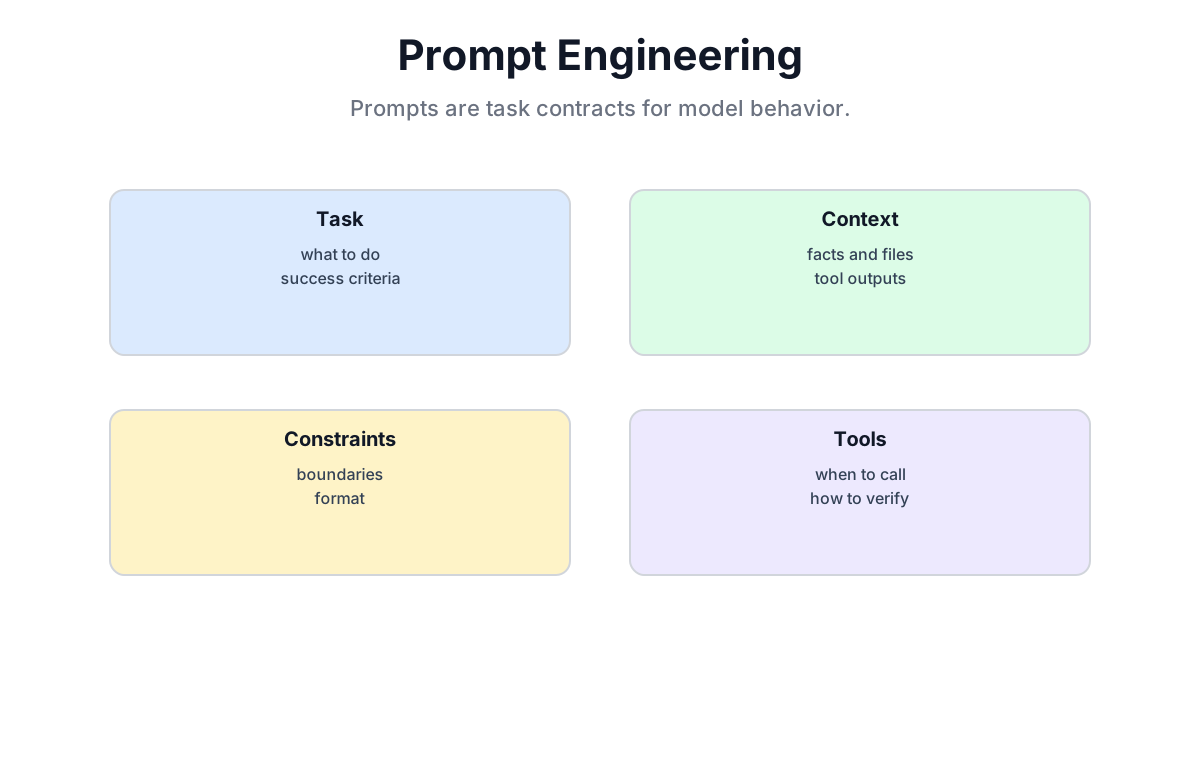
28.1 なぜプロンプトがまだ重要か
28.1.1 同じモデル、異なる結果
マルチステップのスケジューリング問題をモデルに解かせる場合を考えてみましょう。
プロンプトA (直接的):
A team has sprints of 2 weeks. They have 47 story points of work.
Their velocity is 18 points per sprint. How many sprints to finish?
プロンプトB (足場付き):
A team has sprints of 2 weeks. They have 47 story points of work.
Their velocity is 18 points per sprint.

Let's work through this:
1. How many full sprints cover the work?
2. Is there a partial sprint remaining?
単純な算術ではGPTクラスのモデルはどちらも正解するかもしれません。より難しい問題ではプロンプトBが助けになることがありますが、差の大きさと方向はモデル、プロンプト、評価セットに依存します。
28.1.2 モデルは「理解」しない---継続する
すべてのプロンプト技術をクリックさせるメンタルモデル:
LLMは条件付き確率分布です。これまでのすべてを条件に、次のトークンが最も確率が高いものを予測します。
モデルは人間的な意味で問題を解いているわけではありません。テキストを継続しているのです。良いプロンプトとは、正しい答えが最も確率の高い継続になるプロンプトです。悪いプロンプトとは、モデルが間違ったものも含めて多くの方法で「完成」できるプロンプトです。
つまり:
- 良いプロンプト = 答えが自然な次の展開になる、明確に定義されたコンテキスト
- 悪いプロンプト = モデルが多くの方法で完成できる、曖昧なコンテキスト
28.1.3 プロンプティングスキルの3つのレイヤー
| レイヤー | テクニック | 典型的な改善 |
|---|---|---|
| 基本 | 明確な表現、フォーマット制約 | 曖昧さを削減、出力を安定化 |
| 中級 | フューショット、CoT、ロールプロンプト | 複雑なタスクで+10-40% |
| 上級 | Self-Consistency、ToT、ReAct、エージェント設計 | 構造化タスクで人間の専門家レベルに近づく |
この章では3つすべてを、各テクニックの動作するコードと共にカバーします。
28.2 ゼロショットとフューショットプロンプト
28.2.1 3つのプロンプトタイプ
| タイプ | 与える例 | 使う場面 |
|---|---|---|
| ゼロショット | 0 | モデルがタスクをよく理解している |
| ワンショット | 1 | 出力フォーマットを設定したい |
| フューショット | 2-10 | 分類、複雑なフォーマット、エッジケースがある判断 |
28.2.2 ゼロショット
例なしの直接リクエスト:
prompt = """
Classify the following pull request comment as: bug, feature, refactor, or question.

Comment: "The retry logic doesn't handle the case where the upstream returns 429 before the connection is established."
Category:
"""
# モデルの出力: bug
タスクがモデルの学習分布内にあり、カテゴリ名が自己説明的な場合に有効です。出力フォーマットが重要な場合やカテゴリがドメイン固有の場合は失敗します。
28.2.3 ワンショット: フォーマットを設定する
prompt = """
Classify the following pull request comment. Output exactly one word: bug, feature, refactor, or question.

Example:
Comment: "Can we add a timeout parameter here?"
Category: question

Now classify:
Comment: "The retry logic doesn't handle 429 before connection is established."
Category:
"""
# 例が出力フォーマットを固定する。
1つの例が多くの仕事をします。出力フォーマットを示し、必要な詳細度を知らせ、モデルに継続のためのテンプレートを与えます。
28.2.4 フューショット: 空間をカバーする
prompt = """
Classify each pull request comment. Output exactly one word: bug, feature, refactor, or question.

Comment: "Can we add a timeout parameter here?"
Category: question

Comment: "Connection pool leaks when the server closes the socket unexpectedly."
Category: bug

Comment: "Extract the validation logic into a separate function."
Category: refactor

Comment: "Add a --dry-run flag so engineers can preview changes."
Category: feature

Now classify:
Comment: "The agent loop exits without flushing the write buffer."
Category:
"""
フューショット設計ルール:
- 気になる各クラスに最低1つの例
- 3-8例が通常のスイートスポット。10を超えるとコンテキストコストが比例的な利益なく増える
- 例は高品質に保つ---悪い例は悪いパターンを教える
- 最後の1〜2例がわずかに大きな影響を持つ。最も難しいクラスをそこに置く
28.2.5 どれを使うべきか
| シナリオ | 推奨 |
|---|---|
| シンプルな生成タスク (翻訳、要約) | ゼロショット |
| 厳格な出力フォーマットが必要 | 最低でもワンショット |
| マルチクラス分類 | 全クラスを代表するフューショット |
| 複雑な推論 | フューショット + CoT (次のセクション) |
| コンテキスト予算が限られている | ゼロショットまたはワンショット |
import openai

def test_prompts(prompts, test_cases):
    """同じテストケースでプロンプト戦略を比較する。"""
    for name, prompt in prompts.items():
        correct = 0
        for text, expected in test_cases:
            response = openai.chat.completions.create(
                model="gpt-4",
                messages=[{"role": "user", "content": prompt + text}],
                max_tokens=5
            )
            answer = response.choices[0].message.content.strip()
            if expected.lower() in answer.lower():
                correct += 1
        print(f"{name}: {correct}/{len(test_cases)}")

# 典型的な結果パターン:
# ゼロショット:    75%
# ワンショット:    83%
# フューショット:  91%
28.3 Chain-of-Thought (CoT)
28.3.1 発見
2022年にGoogle研究者が多くの人を驚かせた発見を発表しました:
「Let's think step by step」は一部の推論ベンチマークを改善することがありますが、普遍的な改善率はありません。対象モデルとタスクで測定してください。
追加の学習なし。アーキテクチャの変更なし。1文だけ。
28.3.2 なぜ機能するのか
コアモデルに立ち返りましょう: コンテキストから次のトークンを予測します。
CoTなし:
Q: An agent processes 12 requests per minute and has been running for 4 hours and 20 minutes.
   How many requests did it handle?
A:
モデルは質問から答えに1ステップでジャンプします。複雑な算術では、1つのトークン予測が全計算を圧縮しなければなりません。間違えやすいです。
CoTあり:
Q: An agent processes 12 requests per minute and has been running for 4 hours and 20 minutes.
   How many requests did it handle?
Let's think step by step:
今度はモデルが推論を生成します: 「4時間 = 240分。240 + 20 = 260分。260 × 12 = 3,120リクエスト。」各中間結果がコンテキストに現れ、次のトークンの基盤になります。モデルは答えを確定する前に「余白に書く」ことができるのです。
機能する3つのメカニズム:
- 中間出力が入力になる。 各計算ステップが次のためにコンテキストにある。
- ジャンプが小さくなる。 問題をステップに分解するとステップごとの複雑さが減る。
- 自己整合性シグナル。 見えている推論が答えと矛盾していれば、その緊張が検出できる。
28.3.3 ゼロショットCoT
最小バージョン: トリガーフレーズを追加するだけ。
prompt_no_cot = """
A deployment pipeline has 5 stages. Each stage takes 8 minutes.
Two stages can run in parallel if they have no dependencies.
Stages 2 and 3 depend on stage 1 and can run in parallel with each other.
What is the minimum time to complete all stages?

Answer:
"""

prompt_with_cot = """
A deployment pipeline has 5 stages. Each stage takes 8 minutes.
Two stages can run in parallel if they have no dependencies.
Stages 2 and 3 depend on stage 1 and can run in parallel with each other.
What is the minimum time to complete all stages?

Let's think step by step:
"""

# 期待されるCoT出力:
# Stage 1は最初に完了しなければならない: 8分。
# Stage 2と3は並行して実行できる: 8分。
# Stage 4と5は...に依存する [続く]
一般的なゼロショットCoTトリガー:
- "Let's think step by step"
- "Think carefully before answering"
- "Work through this systematically"
- "First, ... Then, ... Finally, ..."
28.3.4 フューショットCoT
より強力: 良い推論トレースがどんなものかをモデルに示す。
prompt = """
Q: An agent pipeline reads from 3 queues. Queue A delivers 5 msgs/s, Queue B delivers 8 msgs/s, Queue C delivers 3 msgs/s. After 10 seconds, how many messages have arrived?
Step-by-step:
1. Queue A: 5 × 10 = 50 messages
2. Queue B: 8 × 10 = 80 messages
3. Queue C: 3 × 10 = 30 messages
4. Total: 50 + 80 + 30 = 160 messages
Answer: 160 messages

Q: A pull request review cycle: author posts PR (day 0), first review in 1-3 days, fixes in 1 day, final review in 1 day, merge same day. What is the earliest day of merge?
Step-by-step:
1. PR posted: day 0
2. First review: earliest day 1
3. Fixes: day 2
4. Final review: day 3
5. Merge: day 3
Answer: day 3

Q: A team velocity is 22 points per sprint (2 weeks). They have a backlog of 80 points. One engineer goes on vacation for the first sprint, reducing velocity by 20%. How many total weeks until the backlog is cleared?
Step-by-step:
"""

# モデルは構造化された推論トレースで継続する。
28.3.5 CoTの比較
| 特徴 | ゼロショットCoT | フューショットCoT |
|---|---|---|
| 必要な例 | なし | 2-8 |
| 推論の品質 | 良い | より良い |
| 準備作業 | 最小限 | 中程度 |
| コンテキストコスト | 低い | 中程度 |
| 最適な用途 | クイックな探索 | プロダクション品質の推論 |
28.3.6 具体的な例: マルチステップ推論
import openai

def solve_with_cot(problem: str) -> str:
    prompt = f"""
You are an experienced software architect. Solve the problem below by showing every step.
Use the format: Step N: [calculation or reasoning]
Finish with: Answer: [final answer]

Problem: {problem}

Step 1:"""

    response = openai.chat.completions.create(
        model="gpt-4",
        messages=[{"role": "user", "content": prompt}],
        temperature=0   # 数学には決定論的
    )
    return response.choices[0].message.content

problem = """
A microservice handles 1,000 requests per second at baseline.
During a traffic spike it needs to handle 3x load for 5 minutes,
then 2x load for the next 10 minutes, then returns to baseline.
If each instance can handle 250 RPS and startup takes 90 seconds,
how many extra instances must be running before the spike begins?
"""
print(solve_with_cot(problem))
28.4 Self-Consistency
28.4.1 CoTが完全には解決しない問題
CoTは精度を劇的に改善しますが、1つのCoTパスはまだ間違う可能性があります。モデルは確率分布からサンプリングします。temperature > 0では、異なる実行で異なる推論トレースが生成されます---正しいものもあれば、そうでないものもあります。
Self-Consistencyはこの変動性を問題から強みに変えます。
28.4.2 メカニズム
同じ問題に対して複数の独立した推論パスをサンプリングし、多数決を取ります:
                  ┌──────────────────────┐
                  │     同じ問題          │
                  └──────────┬───────────┘
                             │
        ┌────────────────────┼────────────────────┐
        │                    │                    │
        ▼                    ▼                    ▼
┌──────────────┐    ┌──────────────┐    ┌──────────────┐
│  パス1        │    │  パス2        │    │  パス3        │
│  Answer: 17  │    │  Answer: 17  │    │  Answer: 15  │
└──────────────┘    └──────────────┘    └──────────────┘
        │                    │                    │
        └────────────────────┼────────────────────┘
                             │
                             ▼
                  ┌──────────────────────┐
                  │  多数決: 17 ✓        │
                  └──────────────────────┘
ステップ:
- temperature > 0 でN個のCoT回答を生成する (ここでは多様性が望ましい)
- 各回答から最終的な答えを抽出する
- 最も頻出した答えを返す
28.4.3 コード実装
import openai
from collections import Counter
import re

def self_consistency(
    problem: str,
    num_samples: int = 5,
    temperature: float = 0.7
) -> dict:
    """
    推論問題でSelf-Consistencyを実行する。

    Args:
        problem:      問題の記述
        num_samples:  サンプリングする推論パスの数
        temperature:  サンプルの多様性 (0.5-0.8推奨)

    Returns:
        答え、信頼度、全サンプル答えを含むdict
    """
    prompt = f"""
Solve the following problem step by step.
At the end, write "Answer: X" where X is the numeric answer.

Problem: {problem}

Solution:
"""

    answers = []
    all_paths = []

    for _ in range(num_samples):
        response = openai.chat.completions.create(
            model="gpt-4",
            messages=[{"role": "user", "content": prompt}],
            temperature=temperature,
            max_tokens=500
        )
        text = response.choices[0].message.content
        all_paths.append(text)

        # 数値の答えを抽出
        match = re.search(r'Answer:\s*(\d+(?:\.\d+)?)', text)
        if match:
            answers.append(float(match.group(1)))

    if not answers:
        return {"answer": None, "confidence": 0, "all_answers": []}

    counter = Counter(answers)
    best_answer, count = counter.most_common(1)[0]

    return {
        "answer": best_answer,
        "confidence": count / len(answers),
        "all_answers": answers,
        "sample_paths": all_paths
    }

# 使用例
problem = """
An agent batch-processes 1,000 files. Each file takes 200ms.
With 4 workers in parallel the effective rate is 4x.
How many seconds to complete the full batch?
"""

result = self_consistency(problem, num_samples=7)
print(f"Answer: {result['answer']}")
print(f"Confidence: {result['confidence']:.0%}")
print(f"All sampled answers: {result['all_answers']}")

# 期待される出力:
# Answer: 50.0
# Confidence: 校正された確率ではないため、結果を独立に検証する
# All sampled answers: [50.0, 50.0, 50.0, 50.0, 50.0, 50.0, 50.0]
28.4.4 実証済みの性能向上
元のSelf-Consistency論文 (Wang et al., 2022) でのChain-of-Thoughtを超えた改善:
| ベンチマーク | CoT単体 | CoT + Self-Consistency | 改善 |
|---|---|---|---|
| GSM8K (数学の文章問題) | 56.5% | 74.4% | +17.9% |
| SVAMP (算術) | 68.9% | 81.6% | +12.7% |
| AQuA (代数) | 48.3% | 57.9% | +9.6% |
| StrategyQA (マルチホップ推論) | 73.4% | 81.3% | +7.9% |
Fine-Tuningなしのテクニックとしては大きな改善です。
28.4.5 パラメータの選択
| パラメータ | 推奨値 | 根拠 |
|---|---|---|
num_samples | 5-10 | 10を超えると収穫逓減。5で通常分布をカバーできる |
temperature | 0.5-0.8 | 多様性が必要。ゼロに近いと同一のパスが生成される |
| 答えの抽出 | "Answer: X"へのregex | プロンプトでフォーマットを標準化する |
28.4.6 コストと使用場面
Self-ConsistencyはAPIコストを num_samples 倍にします。使う場面:
- タスクに検証可能な正解がある (数学、論理、コード出力)
- コストより精度が重要 (プロダクションコードレビュー、財務計算)
- ベースのCoTエラー率がすでに中程度 (10-40%)。単一パスの精度が95%なら、Self-Consistencyはほとんど意味がない
最適化のコツ: まず1つのCoTパスを実行します。モデルが高い信頼度を持ち、答えが簡単なら停止します。出力に不確実性が検出された場合 (複数の可能な答え、ヘッジ表現) のみSelf-Consistencyを呼び出します。
28.5 高度なテクニック
28.5.1 ロールプロンプト
ペルソナを割り当てると、関連する知識パターンが活性化され、回答のレジスターが変わります。
# 汎用的なプロンプト
prompt_generic = """
How should we handle database connection pooling in a high-traffic microservice?
"""

# ロールベースのプロンプト
prompt_role = """
You are a senior infrastructure engineer who has operated services at 100,000 RPS.
You have strong opinions about failure modes and have been burned by common mistakes.

A junior engineer asks you: "How should we handle database connection pooling
in a high-traffic microservice?"

Give practical advice, including the mistakes you've seen teams make.
"""
ロールプロンプトはモデルが持っていない能力を与えるわけではありません。スタイル、詳細度、聴衆への前提、トレードオフへの実践的な重み付けを変えるのです。
エンジニアリングのコンテキストで有効なロール:
| タスク | 効果的なロール |
|---|---|
| コードレビュー | 「このパターンをプロダクションで実装したシニアエンジニア」 |
| アーキテクチャ決定 | 「早期抽象化で痛い目にあった経験豊富なアーキテクト」 |
| デバッグ | 「このクラスの問題を何度もデバッグしたエンジニア」 |
| ドキュメント | 「精度を重視し曖昧さを嫌うテクニカルライター」 |
28.5.2 Tree-of-Thought (ToT)
CoTは単一の線形推論パスです。Tree-of-Thoughtは複数のブランチを探索し、各ブランチを評価し、行き詰まったら戻ります。
                    問題
                       │
          ┌────────────┼────────────┐
          │            │            │
       アプローチA  アプローチB  アプローチC
          │            │            │
       評価          評価         評価
       (スコア:7)   (スコア:3)  (スコア:9)
          │                          │
       探索                        探索
          │                          │
       [サブブランチ]           [サブブランチ]
コアアルゴリズム:
- 現在の状態からN個の候補次ステップを生成する
- 各ステップの有望度を評価する (別のLLM呼び出しまたはヒューリスティック)
- 最も有望なブランチを展開する
- ブランチが行き詰まったら戻る
def tree_of_thought(problem: str, depth: int = 3, branches: int = 3) -> str:
    """シンプル化したTree-of-Thought。"""

    def generate_candidates(context: str, n: int) -> list[str]:
        prompt = f"""
{context}

Generate {n} distinct approaches for the next step. One per line, numbered.
"""
        resp = openai.chat.completions.create(
            model="gpt-4",
            messages=[{"role": "user", "content": prompt}],
            temperature=0.8
        )
        return [l.strip() for l in resp.choices[0].message.content.strip().split('\n') if l.strip()]

    def score_candidate(context: str, candidate: str) -> float:
        prompt = f"""
Problem: {problem}
Progress so far: {context}
Proposed next step: {candidate}

Rate this step's promise from 1-10. Reply with only the number.
"""
        resp = openai.chat.completions.create(
            model="gpt-4",
            messages=[{"role": "user", "content": prompt}],
            temperature=0
        )
        try:
            return float(resp.choices[0].message.content.strip())
        except ValueError:
            return 0.0

    context = f"Problem: {problem}\n"
    for step_num in range(depth):
        candidates = generate_candidates(context, branches)
        scored = [(c, score_candidate(context, c)) for c in candidates]
        best = max(scored, key=lambda x: x[1])[0]
        context += f"\nStep {step_num + 1}: {best}"

    return context
ToTはオープンエンドのプランニング、クリエイティブなタスク、線形推論が局所最適に陥りがちなマルチ制約最適化で最も有効です。
28.5.3 プロンプトチェイニング
複雑なタスクをより単純なプロンプトのパイプラインに分解し、出力を前に送ります。
def analyze_pull_request(diff: str) -> str:
    """プロンプトチェイニングを使ったマルチステップPR分析。"""

    # ステップ1: 構造を抽出する
    step1 = call_llm(f"""
Extract from this diff:
1. Files changed
2. Type of change (bug fix / feature / refactor)
3. Any security-sensitive patterns

Diff:
{diff}
""")

    # ステップ2: ステップ1の出力を使ってリスクを評価する
    step2 = call_llm(f"""
Based on this analysis:
{step1}

Rate the review risk (low / medium / high) and explain why.
Focus on: correctness, security, test coverage implications.
""")

    # ステップ3: ステップ1と2からレビューコメントを生成する
    step3 = call_llm(f"""
Write a concise PR review comment based on:

Analysis: {step1}
Risk assessment: {step2}

Be direct, specific, and actionable. Skip praise. Raise real concerns.
""")

    return step3
プロンプトチェイニングは単一の巨大なプロンプトよりデバッグが簡単です。各ステップに検査できる独自の出力があります。リスクが高い場合はステップの間に人間のレビューを挟むこともできます。
28.5.4 ReAct: 推論と行動
ReAct (Reasoning and Acting) はツールを使うエージェントの基本パターンです。モデルは思考と行動を交互に行います。
Thought: I need to check the current queue depth before deciding.
Action: check_queue_depth(queue_name="task-processor")
Observation: queue depth = 4,521 messages, consumer_lag = 12 seconds

Thought: The lag is moderate but not critical. I should also check error rates.
Action: get_error_rate(service="task-processor", last_n_minutes=5)
Observation: error_rate = 0.3%, below threshold of 1%

Thought: Queue is accumulating but error rate is fine. The issue is throughput, not errors.
Action: scale_service(service="task-processor", replicas=4)
Observation: Scaling initiated. ETA: 90 seconds.

Thought: Scaling is underway. I should monitor and report back.
Answer: Queue depth was 4,521 with 12s lag. Error rate was healthy at 0.3%.
Scaled task-processor from 2 to 4 replicas. ETA 90 seconds.
構造化されたThought/Action/Observationループがモデルを現実の状態に根付かせ、取れない行動を幻覚することを防ぎます。
def react_agent(task: str, tools: dict) -> str:
    """
    最小限のReActエージェントループ。

    tools: tool_name -> callableのdict
    """
    history = [f"Task: {task}"]
    max_steps = 10

    for _ in range(max_steps):
        prompt = "\n".join(history) + "\nThought:"
        response = call_llm(prompt, stop=["Observation:"])

        history.append(f"Thought:{response}")

        # レスポンスからアクションを解析する
        if "Action:" in response:
            action_line = [l for l in response.split('\n') if 'Action:' in l][0]
            tool_name, *args = parse_action(action_line)

            if tool_name in tools:
                result = tools[tool_name](*args)
                history.append(f"Observation: {result}")
            else:
                history.append(f"Observation: Unknown tool: {tool_name}")

        if "Answer:" in response:
            return response.split("Answer:")[-1].strip()

    return "Max steps reached."
28.5.5 構造化出力制約
プログラム的な利用のために、フォーマットを固定します:
# 明示的なスキーマでのJSON出力
prompt = """
Analyze this deployment event and return JSON matching this exact schema:

{
  "severity": "low" | "medium" | "high" | "critical",
  "affected_services": ["service1", "service2"],
  "root_cause": "one sentence",
  "recommended_action": "one sentence",
  "requires_human_review": true | false
}

Event:
[2026-04-24T14:32:01Z] Service payment-processor: latency p99 = 2,340ms (threshold: 500ms)
[2026-04-24T14:32:15Z] Service order-fulfillment: dependency timeout on payment-processor
[2026-04-24T14:32:20Z] Error rate on order-fulfillment: 12% (threshold: 1%)

Return only valid JSON. No explanation, no markdown fences.
"""

response = openai.chat.completions.create(
    model="gpt-4",
    messages=[{"role": "user", "content": prompt}],
    temperature=0,
    response_format={"type": "json_object"}  # JSONモードを強制
)

import json
result = json.loads(response.choices[0].message.content)
構造化出力のベストプラクティス:
- 「JSONを使って」ではなく正確なスキーマを与える
- 精度が重要な場所には型や列挙値を含むスキーマを示す
- APIがサポートしている場合は
response_format={"type": "json_object"}を使う - 解析した出力をスキーマに対して検証する。暗黙のコンプライアンスを信頼しない
28.6 ツール使用とエージェントプロンプト
28.6.1 ツールがデフォルトになってプロンプティングがどう変わったか
ツール使用以前、プロンプトは「こちらが情報、答えを出して」でした。ツール使用以後、プロンプトは「こちらがタスク、呼べるツールがある、停止タイミングはここ」になりました。
エージェントプロンプトでの3つの新しい責任:
1. ツール仕様: 各ツールが何をするか、どの引数を受け取るか、何を返すか。曖昧なツール説明は信頼性のないツール呼び出しを生みます。
2. 決定ロジック: ツールをいつ呼ぶか vs コンテキストから推論するか vs 明確化を求めるか。モデルにはツールのリストだけでなく決定フレームワークが必要です。
3. 停止条件: タスクが完了するのはいつか?成功とは何か?スコープ外は何か?明確な境界がなければモデルはループするか脱線します。
28.6.2 プロダクションスタイルのエージェントプロンプト
You are a deployment-health agent for the Shannon production cluster.

## Your job
Monitor alerts, diagnose root causes, take conservative remediation actions, and escalate when uncertain.

## Tools available
- `get_metrics(service, metric, time_range)` - returns time series data
- `get_logs(service, level, last_n_lines)` - returns recent log lines
- `scale_replicas(service, count)` - changes replica count (max: 10)
- `restart_service(service)` - rolling restart of a service
- `page_oncall(team, severity, message)` - pages the on-call team

## Decision rules
1. Diagnose before acting. Call `get_metrics` and `get_logs` before any state change.
2. Conservative escalation: if p99 latency is > 2x baseline but error rate is < 1%, scale up rather than restart.
3. Restart only when error rate is > 5% or logs show fatal exceptions.
4. Page on-call for: data loss risk, cascading failures, any action beyond scaling or restart.
5. If you are uncertain about the root cause after two rounds of investigation, page on-call.

## Stopping conditions
- Issue is resolved (metrics within normal bounds for 2 minutes).
- Action is taken and you are waiting for it to take effect (state this clearly).
- You have escalated to on-call (provide full context in the page).
- Task is outside your authority (state clearly what you cannot do).

## Output format
Always respond with:
Thought: [your reasoning]
Action: [tool call or "escalate" or "done"]
[if Action is a tool call, wait for Observation before continuing]
これはチャットプロンプトとはジャンルが違います。エンジニアとモデルの間のコントラクトです。
28.6.3 MCPスタイルのツール統合
MCP (Model Context Protocol) などの現代のツールエコシステムはツール説明を構造化スキーマとして形式化します。プロンプトはそれでも重要です---スキーマが公開するツールをいつどのように使うかの高レベルのポリシーを定義します。
設計原則: ツールスキーマは能力を定義し、プロンプトは判断を定義する。アクセス制御はツールレイヤーに置く。決定ロジックはプロンプトに置く。その境界を曖昧にしてはいけません。
28.7 実例
以下の3つの例は、先ほどのテクニックをエンジニアリングタスクで実践します。各例にはプロンプト設計とそれを動かすコードの両方があります。
28.7.1 例1: マルチラベルのIssueトリアージ (フューショット分類)
GitHubのIssueトリアージは実際の影響がある分類タスクです: 間違ったラベルはルーティングを遅らせ、ラベルなしのIssueは迷子になります。フューショットプロンプティングにより、モデルがタクソノミーを一貫して処理できるようになります。
タスク: 受け取ったGitHub Issueを bug、feature、performance、documentation、question のひとつ以上に分類する。
ゼロショットの試み (ベースライン):
import openai, json

def triage_zero_shot(issue_body: str) -> dict:
    prompt = f"""
Classify the following GitHub issue. Choose one or more labels from:
bug, feature, performance, documentation, question.

Issue:
{issue_body}

Output JSON: {{"labels": [...], "reasoning": "..."}}
"""
    resp = openai.chat.completions.create(
        model="gpt-4",
        messages=[{"role": "user", "content": prompt}],
        temperature=0,
        response_format={"type": "json_object"},
    )
    return json.loads(resp.choices[0].message.content)
フューショット版 (プロダクション):
FEW_SHOT_EXAMPLES = """
Issue: "The agent loop crashes with KeyError when the tool returns an empty dict."
Labels: ["bug"]
Reasoning: Crash on specific input is a defect.

Issue: "Add support for streaming responses so we can render tokens as they arrive."
Labels: ["feature"]
Reasoning: New capability not currently supported.

Issue: "Processing 10,000 records takes 45 seconds. The old version did it in 8."
Labels: ["bug", "performance"]
Reasoning: Regression in throughput qualifies as both a bug and a performance issue.

Issue: "The README example for custom tools is broken — it references a method that was renamed."
Labels: ["documentation", "bug"]
Reasoning: Broken documentation caused by a code change.

Issue: "How do I configure the retry policy for transient HTTP errors?"
Labels: ["question"]
Reasoning: User seeking guidance, not reporting a problem or requesting a feature.
"""

def triage_few_shot(issue_body: str) -> dict:
    prompt = f"""
You are an experienced open-source maintainer. Classify the GitHub issue below using one or more of these labels: bug, feature, performance, documentation, question.

Examples:
{FEW_SHOT_EXAMPLES}

Now classify:
Issue: {issue_body}

Output JSON: {{"labels": [...], "reasoning": "..."}}
"""
    resp = openai.chat.completions.create(
        model="gpt-4",
        messages=[{"role": "user", "content": prompt}],
        temperature=0,
        response_format={"type": "json_object"},
    )
    return json.loads(resp.choices[0].message.content)

# 使用例
issue = """
Calling agent.run() with a very long input (>32K tokens) causes the process to
OOM after 30 seconds. Smaller inputs work fine. This regressed in v0.9.2.
"""
result = triage_few_shot(issue)
# 期待される出力: {"labels": ["bug", "performance"], "reasoning": "..."}
print(result)
フューショットラベルは出力フォーマットを安定させ、重複するカテゴリ (bug vs. performance) の違いを具体的な例を通してモデルに教えます。ゼロショットは複数のラベルが当てはまる場合でも単一ラベルを返すことが頻繁にあります。
28.7.2 例2: コード生成 --- LRUキャッシュ (ゼロショット vs フューショット)
LRUキャッシュ問題はコード生成の良いテストベッドです。正規の正しい実装 (collections.OrderedDict または二重連結リスト + ハッシュマップ) があり、明確な契約と、正確さを検証するエッジケースがあるからです。
ゼロショットプロンプト:
ZERO_SHOT_PROMPT = """
Implement an LRU (Least Recently Used) cache class in Python that supports:
- get(key): return the value if it exists, else -1
- put(key, value): insert or update; evict the least recently used item when capacity is exceeded
- capacity is set at construction time

Output only the code, no explanation.
"""

def generate_lru_zero_shot() -> str:
    resp = openai.chat.completions.create(
        model="gpt-4",
        messages=[{"role": "user", "content": ZERO_SHOT_PROMPT}],
        temperature=0,
    )
    return resp.choices[0].message.content
フューショットプロンプト (ウォームアップとしてシンプルなデータ構造を先に示す):
フューショットプロンプトはLRUタスクの前に1つの実例 (MinStack) を含んでいます。プロンプト文字列に埋め込まれたコードブロックは、MDXソースにコードフェンスをネストしないよう文字列連結で構築されています:
MINSTACK_SOLUTION = (
    "class MinStack:\n"
    "    def __init__(self):\n"
    "        self._stack = []\n"
    "        self._min_stack = []\n\n"
    "    def push(self, val: int) -> None:\n"
    "        self._stack.append(val)\n"
    "        min_val = min(val, self._min_stack[-1]) if self._min_stack else val\n"
    "        self._min_stack.append(min_val)\n\n"
    "    def pop(self) -> None:\n"
    "        self._stack.pop()\n"
    "        self._min_stack.pop()\n\n"
    "    def top(self) -> int:\n"
    "        return self._stack[-1]\n\n"
    "    def get_min(self) -> int:\n"
    "        return self._min_stack[-1]\n"
)

FEW_SHOT_CODE_PROMPT = (
    "You are a senior Python engineer. For each task, implement a clean, correct solution.\n\n"
    "Task: Implement a stack with O(1) get_min() using only standard Python.\n"
    "Solution:\n"
    + MINSTACK_SOLUTION
    + "\n\nTask: Implement an LRU cache with get(key) and put(key, value). "
    "get returns -1 on miss. put evicts the least recently used item when over capacity.\n"
    "Solution:\n"
)

def generate_lru_few_shot() -> str:
    resp = openai.chat.completions.create(
        model="gpt-4",
        messages=[{"role": "user", "content": FEW_SHOT_CODE_PROMPT}],
        temperature=0,
    )
    return resp.choices[0].message.content

# 期待される出力 (フューショット):
# class LRUCache:
#     def __init__(self, capacity: int):
#         self.capacity = capacity
#         self.cache = {}              # key -> value
#         self.order = OrderedDict()   # key -> None、LRU順序を維持
#
#     def get(self, key: int) -> int:
#         if key not in self.cache:
#             return -1
#         self.order.move_to_end(key)
#         return self.cache[key]
#
#     def put(self, key: int, value: int) -> None:
#         if key in self.cache:
#             self.order.move_to_end(key)
#         self.cache[key] = value
#         self.order[key] = None
#         if len(self.cache) > self.capacity:
#             oldest = next(iter(self.order))
#             del self.order[oldest]
#             del self.cache[oldest]
フューショットのウォームアップ例は、モデルが明示的なデータ構造の選択を持つクリーンで慣用的なクラスベースのPythonを書くよう誘導します。ゼロショットの出力はほとんどの場合正しいですが、getがO(n)のリストベースの実装を出すことがあります。フューショットの出力は一貫して OrderedDict を使います。
28.7.3 例3: Sprint Planning with CoT + Self-Consistency
エンジニアリングの見積もりは検証可能な答えがあり、現実世界の不確実性がある推論タスクです。Chain-of-ThoughtとSelf-Consistencyを組み合わせることで、複数の推論パスをサンプリングし、最も一貫した見積もりに投票します。
問題: チームに63ストーリーポイントのバックログがある。スプリントの速度は2週間スプリントで21ポイント。シニアエンジニア1名 (スプリントあたり8ポイント貢献) が最初のスプリントだけ休暇中。新しいエンジニアがスプリント3の開始時に参加し、スプリントあたり6ポイントを貢献する。バックログが消化されるまで何スプリントかかるか?
import openai, re, asyncio
from collections import Counter

SPRINT_PROBLEM = """
A team has 63 story points of backlog.
Normal sprint velocity: 21 points per two-week sprint.
Constraint 1: One senior engineer (8 points/sprint) is on leave for sprint 1 only.
Constraint 2: A new engineer joins at the start of sprint 3, contributing 6 points/sprint.
How many complete sprints are needed to clear the backlog?
"""

COT_PROMPT = f"""
Solve the following sprint planning problem step by step.
Show each sprint's velocity, cumulative points completed, and remaining backlog.
End with: Answer: <integer number of sprints>

Problem: {SPRINT_PROBLEM}

Step 1:"""

async def sample_one(client, temperature: float) -> str:
    """1つのCoT推論パスを非同期でサンプリングする。"""
    resp = await client.chat.completions.create(
        model="gpt-4",
        messages=[{"role": "user", "content": COT_PROMPT}],
        temperature=temperature,
        max_tokens=600,
    )
    return resp.choices[0].message.content

async def sprint_self_consistency(num_samples: int = 7) -> dict:
    """
    複数のCoTパスをサンプリングしてスプリント数に投票する。

    答え、信頼度、全サンプル答えを返す。
    """
    client = openai.AsyncOpenAI()
    tasks = [sample_one(client, temperature=0.7) for _ in range(num_samples)]
    paths = await asyncio.gather(*tasks)

    answers = []
    for path in paths:
        match = re.search(r'Answer:\s*(\d+)', path)
        if match:
            answers.append(int(match.group(1)))

    if not answers:
        return {"answer": None, "confidence": 0.0, "all_answers": []}

    counter = Counter(answers)
    best, count = counter.most_common(1)[0]

    return {
        "answer": best,
        "confidence": count / len(answers),
        "all_answers": answers,
        "paths": paths,
    }

# 実行
result = asyncio.run(sprint_self_consistency(num_samples=7))
print(f"Sprints needed: {result['answer']}")
print(f"Confidence:     {result['confidence']:.0%}")
print(f"All samples:    {result['all_answers']}")

# 手動検証:
# Sprint 1: 速度 = 21 - 8 = 13。  残り: 63 - 13 = 50
# Sprint 2: 速度 = 21。           残り: 50 - 21 = 29
# Sprint 3: 速度 = 21 + 6 = 27。  残り: 29 - 27 = 2
# Sprint 4: 速度 = 27。           残り: 2 - 27 = 完了
# 答え: 4スプリント
#
# 期待される出力:
# Sprints needed: 4
# Confidence:     86% (7パスのうち6が一致。1パスがSprint 3の速度を間違えることがある)
# All samples:    [4, 4, 4, 4, 4, 4, 3]
非同期バッチアプローチがここで重要です: 7つの並行API呼び出しは1つの逐次呼び出しとほぼ同じ時間で完了します。Self-Consistencyをプロダクションで使う場合は、必ずサンプルを同時並行にバッチ処理してレイテンシのペナルティを連続的に支払わないようにしましょう。
28.8 実践的な落とし穴とベストプラクティス
28.8.1 よくある間違い
| 間違い | 問題 | 修正 |
|---|---|---|
| テキストの壁としてのプロンプト | モデルは最後を重視する。早い指示が薄まる | ヘッダーで構造化する。重要な制約を最後に繰り返す |
| 否定のみの指示 | 「幻覚しないで」は代わりに何をすべきかを指定しない | 「わからない場合は『十分な情報がありません』と言って」 |
| アプリロジックをプロンプトに隠す | プロンプトの肥大化、プロンプトバージョンとコードのドリフト | ハードルールをコードに移す。プロンプトはタスクコンテキスト用 |
| より多くの言葉で修正する | より冗長な指示を追加すると逆効果になることが多い | より良い例を追加する |
| temperatureを無視する | 決定論が必要なタスクにデフォルトtempを使う | コード、数学、構造化出力には temperature=0 を設定 |
| 制約が多すぎる | モデルは優先度順に満たす。後の制約が落ちる | 制約を順位付けして制限する。実際に重要なものをテストする |
28.8.2 機能するプロンプト構造
def build_prompt(
    role: str,
    context: str,
    task: str,
    examples: list[dict],
    constraints: list[str],
    output_format: str
) -> str:
    """
    構造化プロンプトビルダー。

    examples: {"input": ..., "output": ...} dictのリスト
    constraints: 制約文字列のリスト (重要度順)
    """
    parts = [f"## Role\n{role}", f"## Context\n{context}", f"## Task\n{task}"]

    if examples:
        ex_text = "\n\n".join(
            f"Input: {e['input']}\nOutput: {e['output']}" for e in examples
        )
        parts.append(f"## Examples\n{ex_text}")

    if constraints:
        c_text = "\n".join(f"- {c}" for c in constraints)
        parts.append(f"## Constraints\n{c_text}")

    parts.append(f"## Output format\n{output_format}")
    parts.append("---\nNow process the input:")

    return "\n\n".join(parts)

# 使用例
prompt = build_prompt(
    role="Senior technical writer with a preference for concrete examples",
    context="Writing API documentation for a Python SDK",
    task="Generate a docstring for the provided function",
    examples=[
        {
            "input": "def connect(host, port, timeout=30): ...",
            "output": '"""Connect to the server at host:port.\n\n    Args:\n        host: hostname or IP\n        port: port number\n        timeout: seconds before connection attempt fails (default 30)\n\n    Returns:\n        Connection object ready for use\n\n    Raises:\n        ConnectionError: if the server is unreachable\n    """'
        }
    ],
    constraints=[
        "Use Google-style docstrings",
        "Include a Raises section if the function can raise exceptions",
        "Omit obvious information like 'returns None'",
    ],
    output_format="Only the docstring, wrapped in triple quotes."
)
28.8.3 プロンプトのデバッグ
出力が間違っている場合、このチェックリストを順番に確認します:
- プロンプトは曖昧か? 2通りの読み方ができるか?モデルはもう一方の読み方をしているかもしれない。
- フォーマットは示されているか? 特定の出力フォーマットが必要なら、その例を示す。
- タスクが複雑すぎるか? 2つのプロンプトに分割する。
- temperatureが高すぎるか? 診断実行には0に設定する。
- モデルが正しくてあなたの期待が間違っているか? 3回実行して出力がクラスター化するか確認する。
def diagnose_prompt(prompt: str, n_runs: int = 5) -> None:
    """プロンプトを複数回実行して一貫性を評価する。"""
    results = []
    for i in range(n_runs):
        resp = openai.chat.completions.create(
            model="gpt-4",
            messages=[{"role": "user", "content": prompt}],
            temperature=0.3
        )
        results.append(resp.choices[0].message.content.strip())

    unique = set(results)
    print(f"プロンプトの一貫性: {(n_runs - len(unique) + 1) / n_runs:.0%}")
    print(f"ユニークな出力数: {len(unique)}")
    for i, r in enumerate(results, 1):
        preview = r[:200] + "..." if len(r) > 200 else r
        print(f"--- 実行{i} ---\n{preview}\n")
28.8.4 プロンプトからロジックを出すべきタイミング
プロンプトが向いていないもの:
- アクセス制御ルール (「ユーザータイプYには絶対にXをしない」) --- コードに置く
- 完全一致 (「ユーザーが正確に『キャンセル』と言ったらZをする」) --- ルーティングロジックに置く
- マルチステップのトランザクションロジック --- オーケストレーションコードに置く
- 頻繁に変わるルール --- 設定ファイルに置く
プロンプトが向いているもの:
- タスクのフレーミング (「コードレビューを手伝うエンジニアです」)
- 判断の呼びかけ (「サイレントフォールバックより明示的なエラー処理を好む」)
- トーンとフォーマットの制約
- 望ましい動作のフューショット例
28.9 第28章まとめ
28.9.1 テクニック比較
| テクニック | コアメカニズム | 最適な用途 | 典型的な改善 |
|---|---|---|---|
| ゼロショット | 直接タスク記述 | シンプルで理解されているタスク | ベースライン |
| フューショット | テンプレートとしての例 | フォーマット制御、分類 | +10-20% |
| Chain-of-Thought | 見える推論トレース | 数学、マルチステップロジック | +20-40% |
| Self-Consistency | Nサンプルの多数決 | 高精度要件 | +10-18% |
| ロールプロンプト | ペルソナの活性化 | トーン、深度、ドメインレジスター | 様々 |
| Tree-of-Thought | 分岐 + バックトラック | オープンエンドのプランニング | +10-30% |
| ReAct | 推論→行動→観察ループ | ツールを使うエージェント | 新しい能力を可能にする |
28.9.2 デシジョンフロー
タスクはモデルによく理解されているか?
  はい → ゼロショット。フォーマットが具体的なら例を1つ追加。
  いいえ → フューショット。

タスクにマルチステップ推論が必要か?
  はい → CoTを追加 ("step by step" または推論例)。

精度が重要で答えが検証可能か?
  はい → Self-Consistencyを追加 (5-10サンプル、多数決)。

タスクに外部データや行動が必要か?
  はい → 定義されたツールと停止条件でReAct。

タスクがオープンエンドかバックトラックが含まれるか?
  はい → Tree-of-Thought。
28.9.3 主要パラメータ
| パラメータ | 良いデフォルト | メモ |
|---|---|---|
temperature | 数学/コードには0、生成には0.7 | 0 = 決定論的、1.0 = クリエイティブ |
| フューショット例 | 3-8 | クラス間でバランス |
| Self-Consistencyサンプル | 5-10 | 10を超えると収穫逓減 |
| CoTトリガー | "Let's think step by step" | または推論例を示す |
| Max tokens | 意図して設定する | デフォルトは構造化出力に対して高すぎることが多い |
28.9.4 核心的な学び
プロンプティングは次トークン予測器のためのインターフェース設計です。フューショット例はモデルに正しい出力がどんなものかを示します。Chain-of-Thoughtは中間計算のためのスペースを作ります。Self-Consistencyは複数のパスをサンプリングして多数決を取ります---高リスクな出力への安価な保険です。ReActとツール使用プロンプトはエージェントの権限と停止条件を定義します。共通する流れ: すべてのテクニックはコンテキストを形作ることで機能します---正しい答えが最も自然な継続になるように。
チャプターチェックリスト
このチャプターを終えたら、以下ができるはずです:
- 次トークン予測の観点からプロンプティングがなぜ機能するかを説明できる。
- 適切な例の数と多様性でフューショットプロンプトを設計できる。
- ゼロショットとフューショットのChain-of-Thoughtを推論タスクに適用できる。
- 多数決でSelf-Consistencyを実装し、いつそのコストが見合うかを説明できる。
- Tree-of-Thoughtと対処するタスクのクラスを説明できる。
- 明確なツール定義と停止条件を持つReActスタイルのエージェントプロンプトを書ける。
- アプリケーションロジックとプロンプト指示を分離できる。
- 構造化チェックリストを使ってパフォーマンスが悪いプロンプトを診断できる。
次の章へ
これでPrompt Engineeringをカバーしました。Self-Consistencyループをゼロから書けて、temperatureがそこでなぜ重要かを説明できれば、テクニックは身に付いています。
Prompt Engineeringは重みを変えずに推論時のモデルの振る舞いを操作します。次の章ではさらに深く掘り下げます: モデルの即時の振る舞いだけでなく価値観と好みを変えたい場合はどうするか?第29章ではRLHFとDPOを扱います---ChatGPTが単にテキストを継続するのではなく助けようとしているように感じさせた、学習時のアライメント手法です。